

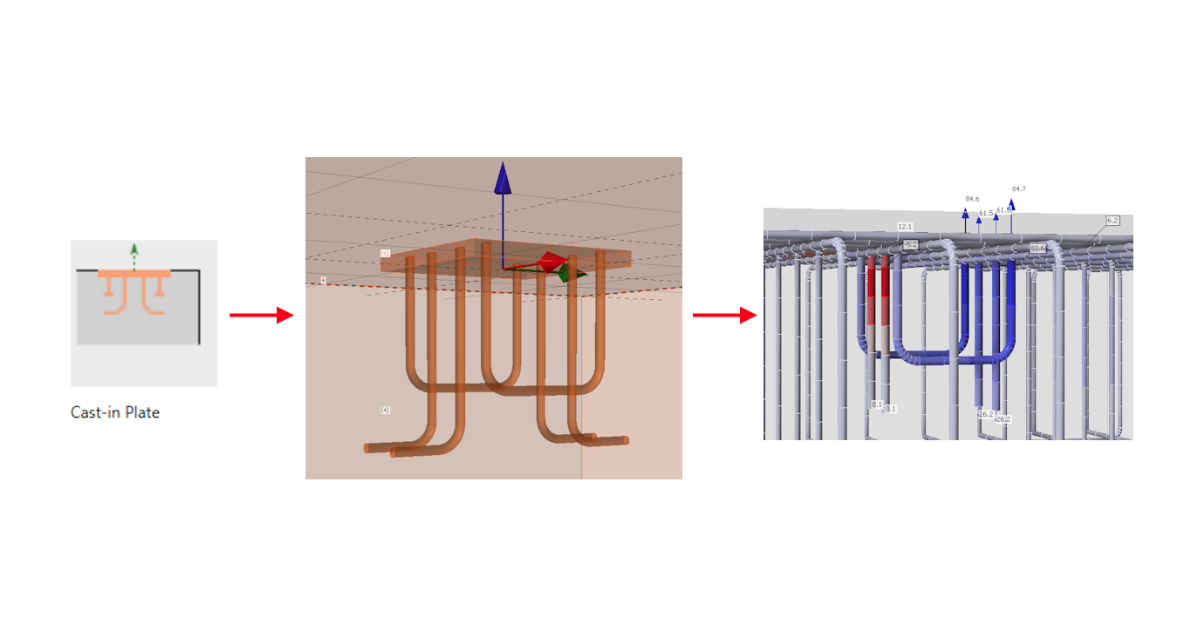
Cast-in plates in Detail
In Detail, you can find cast-in plates with fasteners/reinforcement of several types commonly used in construction for securing beams, columns, or façade elements. Cast-in plates ensure strong and reliable load transfer between steel and concrete structures.
Cast-in plate device
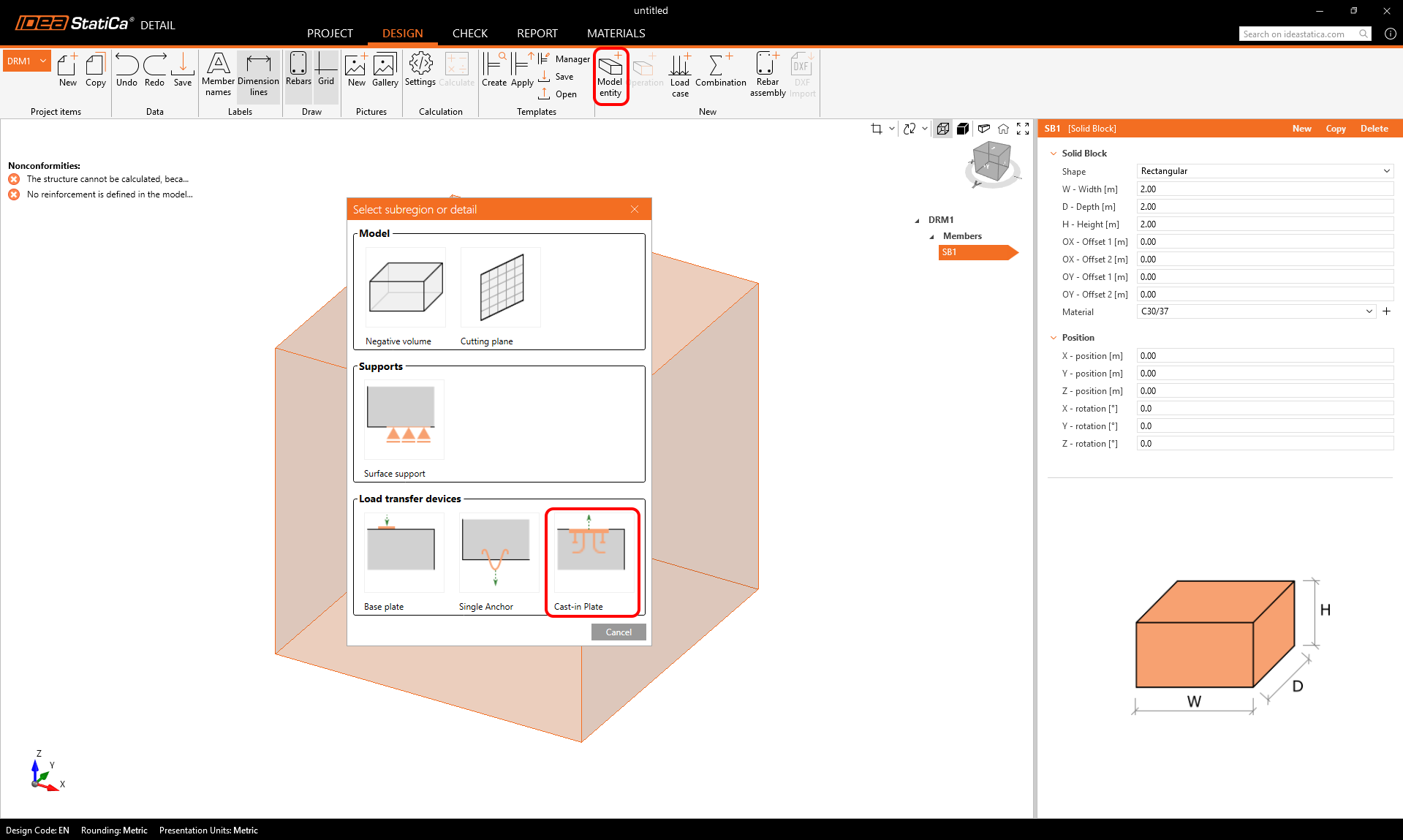
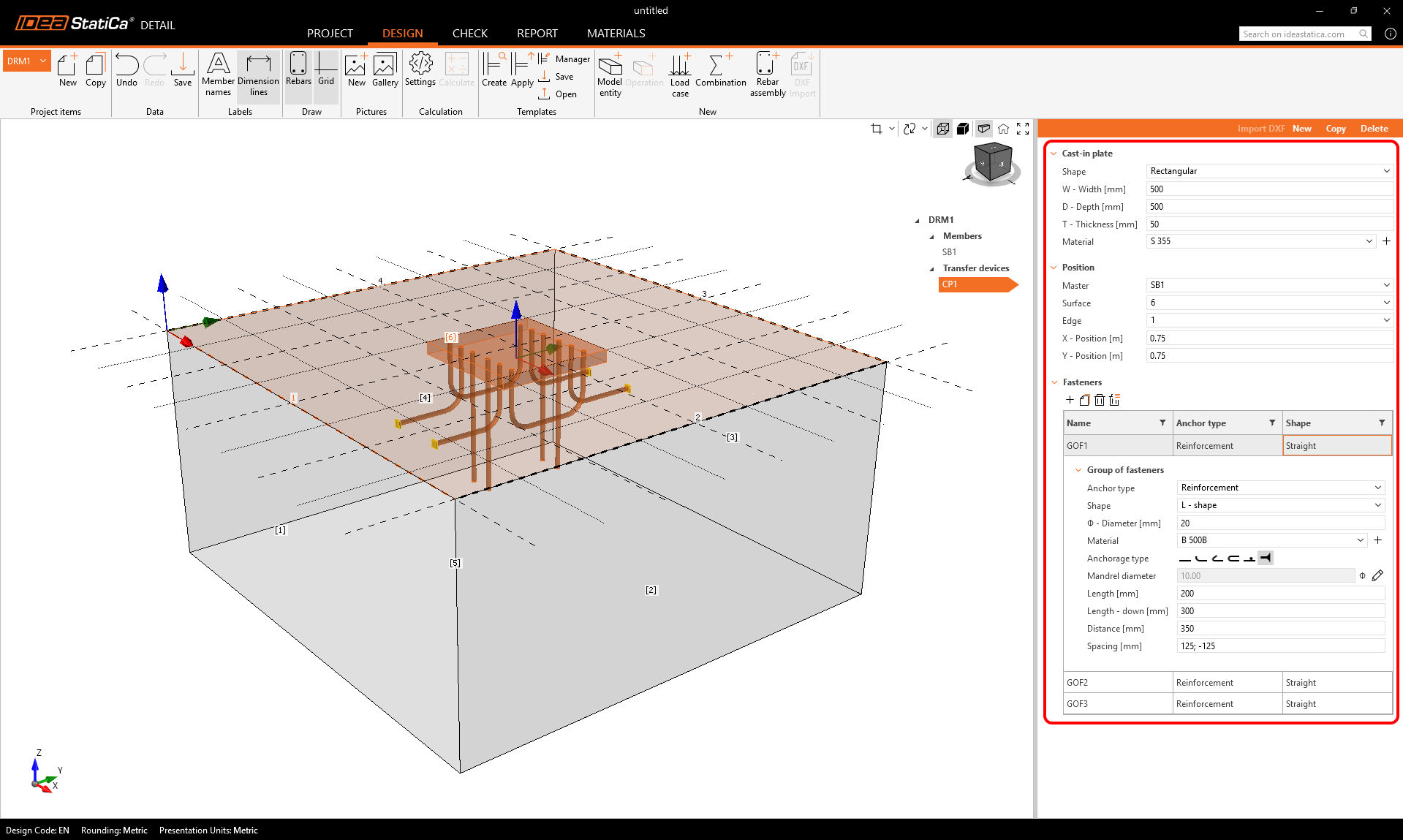
Cast-in plates are available as a Load Transfer Device in the model entity selection. The plate’s geometry and position can be defined in a single property grid, while an additional table allows users to add and combine multiple groups of fasteners. Fasteners can be defined directly for each specific plate. Users are able to add an unlimited number of fasteners and even combine multiple types within a single plate.
Reinforcement types
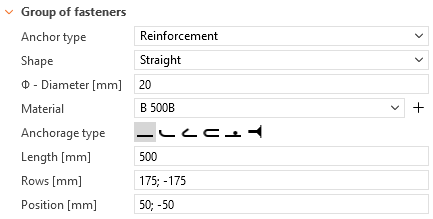
The Cast-in plate allows for welded reinforcement in three shapes: Straight, L-shape, and U-shape.
- Straight: Anchors can be arranged in rows and positions following a predefined key (similar to bolt placement in Connections). Users can define material, length, and diameter, as well as specify an anchorage type.
- L-shape: Defined as two rows of anchors with adjustable spacing and row distance, with the option to specify anchorage type.
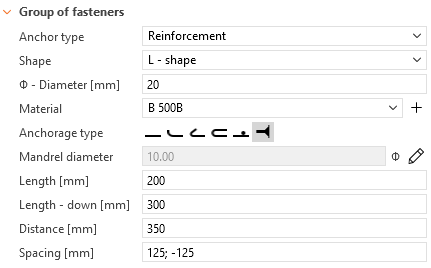
- U-shape: A continuous series of reinforcements forming a U-shape, connected on both sides.
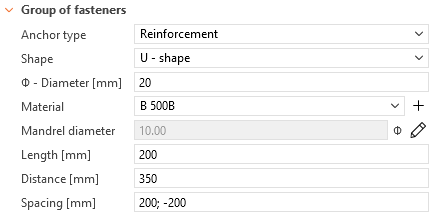
Headed stud
The headed stud transfers load to the concrete exclusively through compression contact. The head is modeled as a plate-shell element directly attached to the anchor shank with fully customizable dimensions. The plate itself is modeled linearly, without plasticity, and is not subjected to resistance checks. Since the shank has zero bond strength, the entire load is transferred to the concrete through the head.
This element is assigned corresponding material grades according to ISO 13918 available in the MPRL.
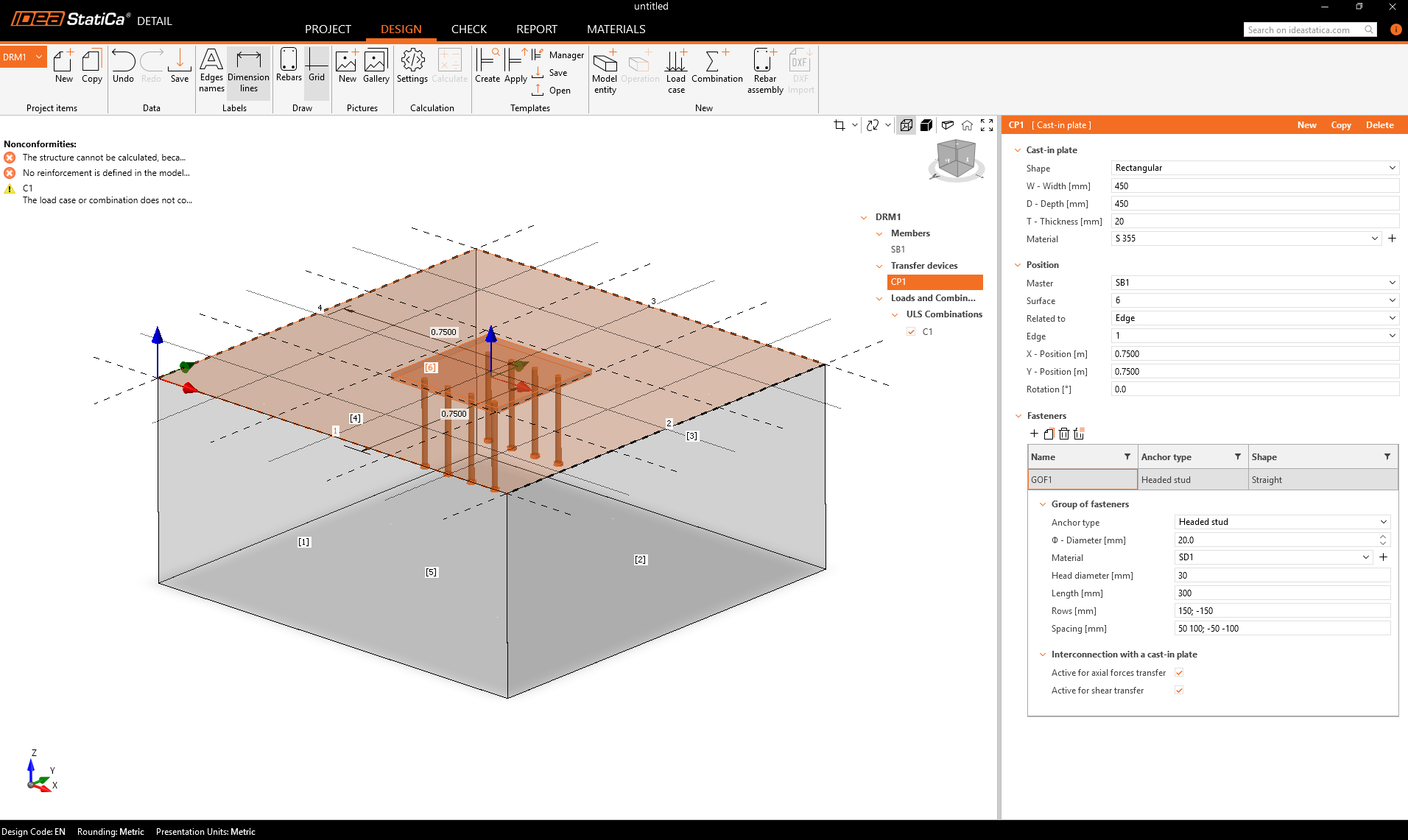
The Cast-in Plate entity supports two ways of input: Single Fastener (SF) and Group Fasteners (GOF). All the types of fasteners and input can be combined.

Approaches for specifying loads
Loads can be applied to a Cast-in Plate using two methods:
- Direct – Forces are applied directly to the plate.
- Column (Stub) – A short steel column is modeled above the plate:
- A steel cross-section is selected from the database, specific to each design code.
- The cross-section position relative to the plate is defined in the property grid.
- Internal forces (Fx, Fy, Fz, Mx, My, Mz) are applied at the base of the stub and redistributed through the stub into the plate, anchors, and concrete.

This approach provides a physically realistic transfer of column forces into the cast-in plate, consistent with the workflow already established for base plates.
Import from Connection to Detail for Cast-in plates
The export from Connection and import into Detail supports the Cast-in plate workflow:
- Plates always imported as Cast-in plates – Any plate exported from Connection with attached headed studs or reinforcement is imported into Detail as a Cast-in Plate entity.
- Anchors imported as Single Fasteners (SF) – All anchors, including studs and reinforcement anchors, are imported as SF entities on the Cast-in plate to ensure a one-to-one mapping from Connection to Detail. Grouped fasteners (GOF) are not used for this workflow.
- Load import – weld forces only – Only weld forces are imported from Connection. Anchors in the imported model are always connected in both axial and shear. This allows the user in Detail to independently define anchor behavior, for example:
- Reinforcement anchors active only in axial direction
- Headed studs active only in shear

In Connection, anchors are always connected in both axial and shear, so separation of loads cannot be exported as with base plates. The “weld-forces-only” import preserves flexibility in Detail while maintaining Connection behavior. This import method is specifically designed for the Cast-in plate workflow and supports SCI P416-type approaches, enabling controlled load sharing and redistribution among different anchoring components.